【推荐阅读】
- 查文档:(1) RhinoCommon SDK (2) Grasshopper API
- 专栏地址:专栏:Rhino (Grasshopper) 二次开发 (C#)
【参考资料】
1. Introduction
1.1 C# 电池
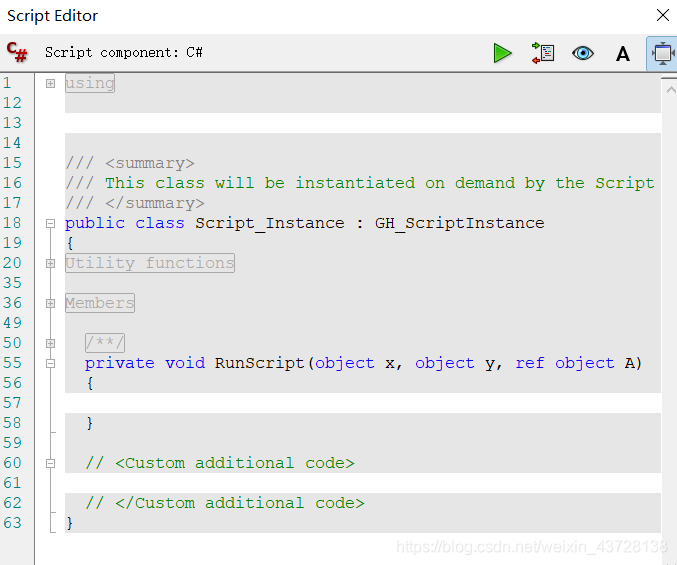
下两图展示了 C# 电池 & 双击组件后打卡的窗口 可以看到这个初始代码包含两个输入 (x, y) 一个输出 (a),out 可以理解为为代码本身的输出,例如 print 语句以及报错时生成的 Error 信息 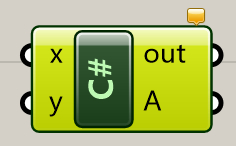
1.1.1 增、删、改组件的输入、输出
增、删:把组件放大后可以看到中间黑色区域的两侧出现了包含 +, - 的条带,此时可以任意增加或删除变量 改:将鼠标移至变量名上,单击右键即可 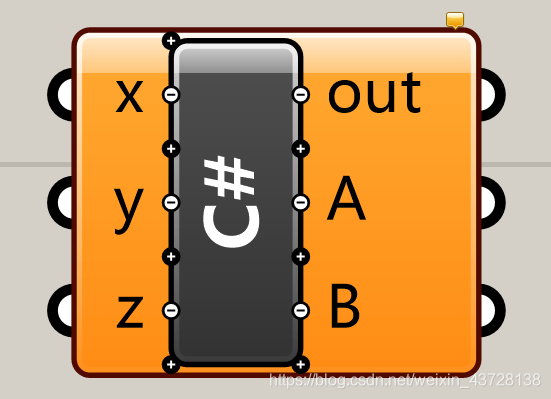
1.1.2 用 boolean toggle 电池控制 C# 电池是否在每次 recompte 时还原
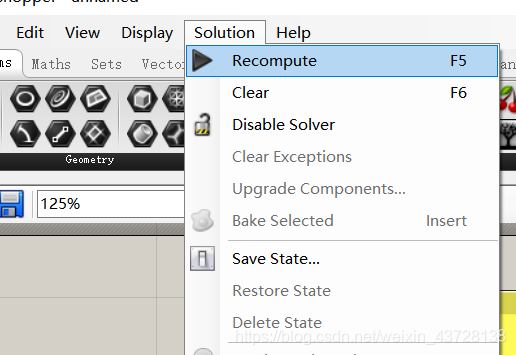
在双击 C# 电池打开的 C# Editor 中,只有 private void RunScript() {} 这个函数会在每次调用时都执行一遍,这意味着外部定义的变量在每次调用后都会把数值储存起来,等待下次运行时被调用 例如对于包含下图内容的 C# 电池,按五次 F5 or 点击菜单栏 Solution – Recompte 五次,就会输出 A = 5 
但怎么去还原 i 的初始值 0 呢? 函数内增加一个 if else,外部增加一个 boolean 输入 
 这样不管怎按 F5, 输出将一直是 A = 0
1.1.3 用 timer 电池每隔一段时间 recompte 一次 C# 电池
可以看到右边黄色框内数字在快速增加 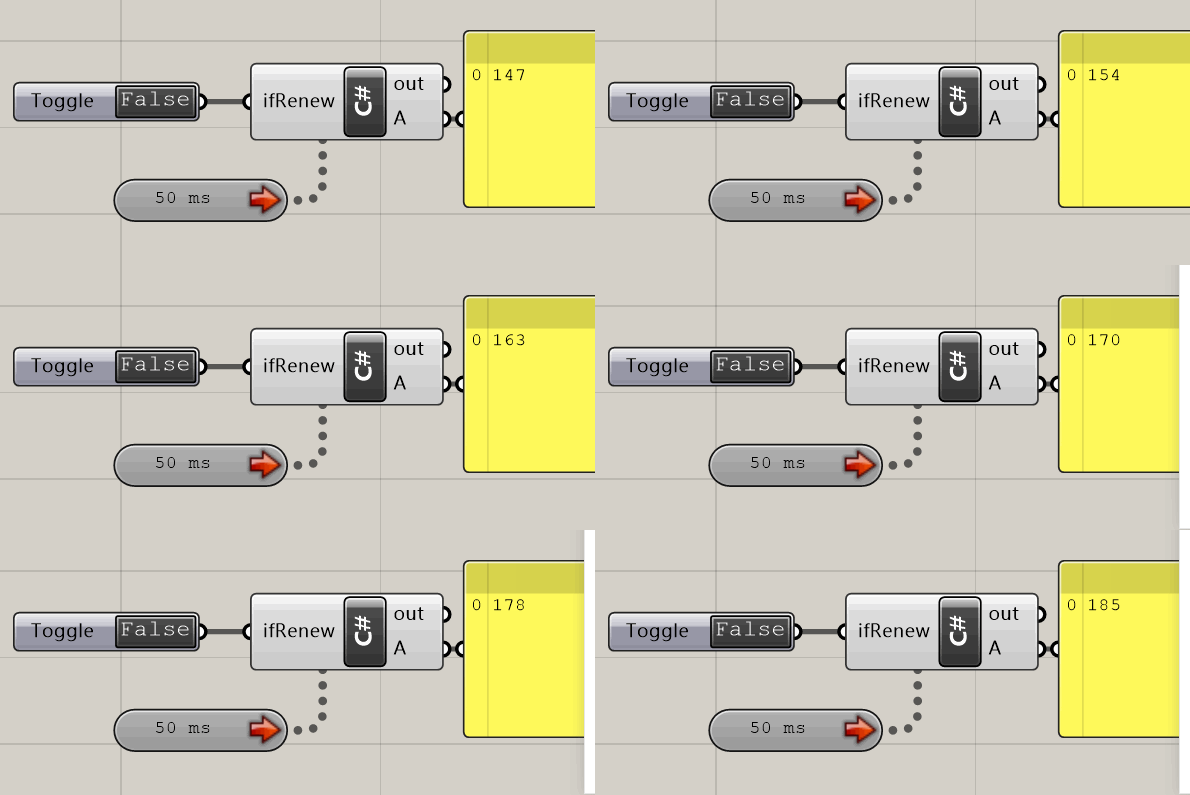
1.1.n 其他注意事项
- 保证代码窗口右上角的 Shrink Script Editor 处于未激活状态,这样可以避免后续因为窗口缩小以至于被忽视而导致的一系列问题,just trust me
1.2 其他电池
1.2.1 将 Rhino 中创建的几何体赋值给电池
以 Curve 为例,右键单击电池,选择 Set one Curve / Set Mutiple Curves,随后在 Rhino 界面框选目标几何体 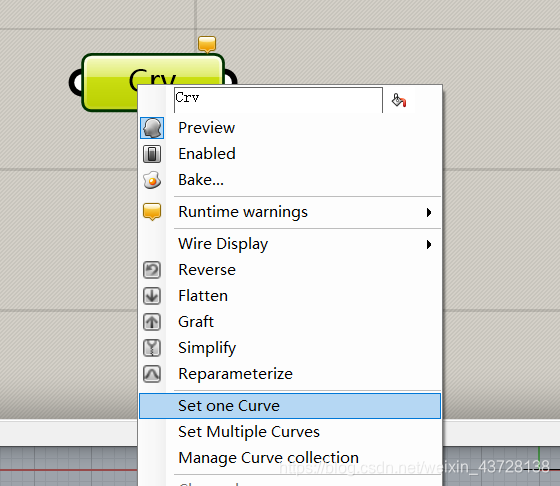
1.3 一些简单的 C# 电池示例
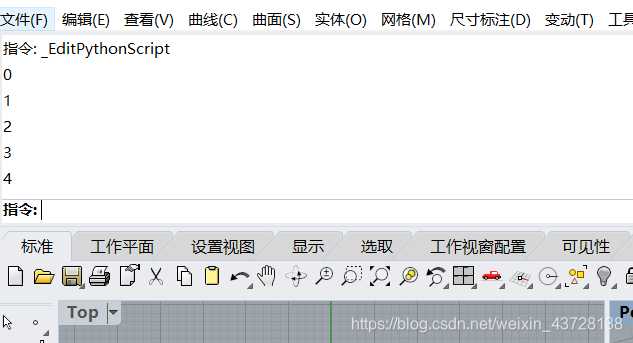
1.3.1 使用 for Loop 输出数据到 panel 以及 Rhino 的命令行
 private void RunScript(object x, object y, double z, ref object A, ref object B)
  {
    for (int i = 0; i < 5; i += 1) {
    	Print(i.ToString());
    	RhinoApp.WriteLine(i.ToString());
    }
  }
运行效果:

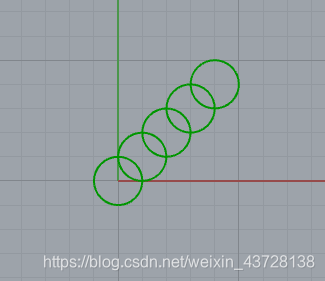
1.3.2 使用 for + foreach Loop 画几个圆
private void RunScript(object x, object y, double z, ref object A, ref object B)
{
	List<Point3d> ps = new List<Point3d>() {};
	for(int i = 0; i < 5; i += 1) {
		Point3d p = new Point3d(i, i, i);
		ps.Add(p);
	}
	List<Circle> cs = new List<Circle>() {};
	foreach(Point3d p in ps) {
		double r = 1;
		Circle c = new Circle(p, r);
		cs.Add(c);
	}
	A = cs;
}
2. Class of RhinoCommon
本小节内容可能更偏向作者本人接触的一些项目所涉及的内容,其余请参阅官方文档(链接在文章开头部分)
2.1 Data type
2.1.1 Value type
用等号做赋值运算时,相当于创建了一个新的对象 int, double … Point3d, Vector3d …
Point3d p = new Point3d(x, y, z);
Circle c = new Circle(Point3d, r);
2.1.2 Reference type
用等号做赋值运算时,等号左右两个变量名依旧指向同一个对象(和 Python 一致) List … Curve, Brep, Surface … 这一性质意味着,运行 Surface A = B 后,对 B 的改变会同样改变 A。因此该性质往往会引发许多问题,具体问题以及解决措施可以参考 Grasshopper 二次开发 (C#) Part 5 - Tricks, 5.2 深度复制几何体 Deeply Duplicate Geometry
2.2 Parameter
2.2.1 out
Curve Structure Class 以 Method b = c.ClosestPoint(p, t) 为例: (b: boolean, c: Curve, p: Point3d, t: double) 该方法用于找曲线 c 中最接近点 p 的点,返回
- 一个 boolean (true 即存在这样的一个最近点,false 即不存在)
- 一个系数值 t (如果 boolean 为真,则将最近点在曲线 c 上的系数值赋给 t)
double t;
boolean success = c.ClosestPoint(p, out t);

if (success) c.PointAt(t);
关于这个系数值 t 我也没懂其具体含义,恳请了解的大佬留个言。 不过虽然不理解,我们依旧可以使用 t 来实现一些基础的工作:例如,如果要找具体某个点的位置,such as1/4 点,可以这样做
// 获取两个端点的 t 值
double tStart; // tStart 一般为 0
double tEnd;
curve.ClosestPoint(curve.PointAtStart, out tStart);
curve.ClosestPoint(curve.PointAtEnd, out tEnd);

// 获取 1/4 点
double tMid = 0.25 * (tEnd - tStart);
Point3d targetPoint = curve.PointAt(tMid);
3. Data Structure
DataTree 见文档 dt.AllData() 将树中的内容合并到一个 list 中
Examples
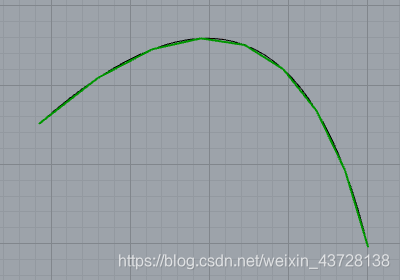
Ex.1 将曲线分割成线段
根据已知曲线以及设定的 tolerance,将曲线分割成一个线段 list tolerance > max{ 最短距离 between 分割后各线段的中点 & 已知曲线) }
private void RunScript(Curve curve, double tolerance, ref object A)
{
	// 获取曲线两点端点的系数 tStart, tEnd
	double tStart;
	double tEnd;
	curve.ClosestPoint(curve.PointAtStart, out tStart);
	curve.ClosestPoint(curve.PointAtEnd, out tEnd);

	List<LineCurve> segments = new List<LineCurve>() {};
	// 分割函数
	DevideCurve(curve, tStart, tEnd, tolerance, segments);
	A = segments;
}

public void DevideCurve(Curve curve, double tStart, double tEnd, double tolerance, List<LineCurve> segments)
{
	 Point3d startPoint = curve.PointAt(tStart);
	 Point3d endPoint = curve.PointAt(tEnd);
	 Point3d midPoint = 0.5 * (startPoint + endPoint);

	 double tClosest; // 最近点的系数
	 curve.ClosestPoint(midPoint, out tClosest);

	 double distance = curve.PointAt(tClosest).DistanceTo(midPoint);  // 最短距离

	 if (distance < tolerance)
		segments.Add(new LineCurve(startPoint, endPoint));
	 else
	 {
		 double tMid = 0.5 * (tStart + tEnd);
		 DevideCurve(curve, tStart, tMid, tolerance, segments); // 递归
		 DevideCurve(curve, tMid, tEnd, tolerance, segments);
	 }
}

tolerance = 0.9 & 0.2 
Ex.2 画一条随机游动的小蛇
效果如图 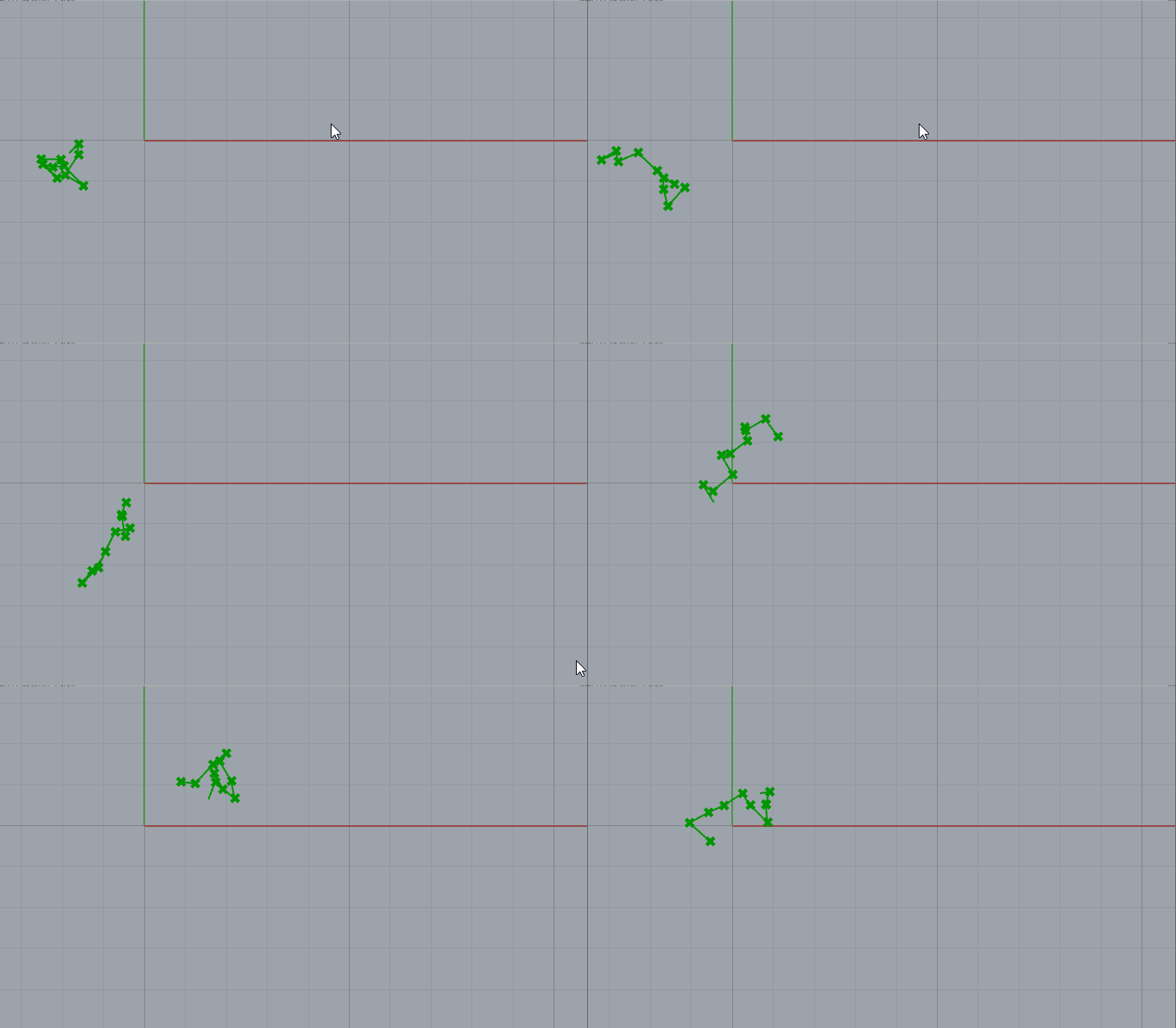
1.1 涉及内容
- Random 语句:见 C# 学习笔记 Section 1.4
- toggle & timer 模块:见 Rhino (Grasshopper) 二次开发 (C#) Part 1 Section 1.1.2 & 1.1.3
1.2 具体电池组与代码

private void RunScript(bool ifRenew, ref object A, ref object B) {
    if (ifRenew) { // 初始化点和线
        p = new Point3d(0, 0, 0);
        ps = new List<Point3d>();
        ls = new List<LineCurve>();

        for (int i = 0; i < 10; i++) {
	        ps.Add(p);
	        ls.Add(new LineCurve(p, p));
        }
    }
    else {
        double x = randomGenerator.NextDouble() - 0.5;
        double y = randomGenerator.NextDouble() - 0.5;

        ls.Add(new LineCurve(p, p += new Vector3d(x, y, 0)));
        ps.Add(p);
        ls.RemoveAt(0);
        ps.RemoveAt(0);
    }
    A = ps;
    B = ls;
}

Point3d p = new Point3d(0, 0, 0);
Random randomGenerator = new Random();
List<Point3d> ps = new List<Point3d>();
List<LineCurve> ls = new List<LineCurve> ();
Document Information
- Author: Zhekai Li
- Link: https://zhekaili.github.io/0002/12/31/C-Introduction/
- Copyright: 自由转载-非商用-非衍生-保持署名(创意共享3.0许可证)